6.1 McStas and MANTID
As of McStas 2.1 and MANTID 3.2, the teams of the two codes provide a mechanism to transfer simulated McStas events and monitor data to MANTID, via NeXus files.
6.1.1 System requirements
To enable the software link, you need the following codes installed on your system:
-
McStas 2.1 or newer
-
NeXus libraries from http://nexusformat.org1
-
Mantid 3.2 or newer
-
On Mac OS X 10.8 and newer you may need to install one of the below compilers, as the default clang on OS X causes problems for the link, especially when used together with MPI
-
Intel C
-
gcc from http://hpc.sourceforge.net
-
6.1.2 Requirements for the instrument file
A special naming convention in the instrument file is needed for the automatic transfer of geometry to a Mantid IDF file:
-
The location of the source must be indicated by a component named sourceMantid. Note that in the case of a curved instrument geometry, you should probably add an Arm where Mantid ’expects’ the source to be, i.e.: defining a location displaced the correct source-sample distance, parallel to the incoming beam direction at the sample.
-
The location of the sample must be indicated by a component named sampleMantid
-
One or more Monitor_nD components need to be added in either rectangular- or cylindrical geometry and with a set of special flags, as shown below
-
Rectangular monitor
1    COMPONENT nD_Mantid_0 = Monitor_nD(
2    options ="mantid square x limits=[-0.2 0.2] bins=128 y limits=[-0.2 0.2] bins=128, neutron pixel t, list all neutrons",
3    xmin = -0.2,
4    xmax = 0.2,
5    ymin = -0.2,
6    ymax = 0.2,
7    restore_neutron = 1,
8    filename = "bank01_events.dat")
9  AT (0, 0, 3.2) RELATIVE sampleMantid

10
-
Cylindrical monitor
1    COMPONENT nD_Mantid_01 = Monitor_nD(xwidth=(4.0-0.0005-0.00002)*2, yheight=3,
2    options="mantid banana, theta limits=[-73.36735 73.36765] bins=100, y limits=[-1.5 1.5] bins=300, neutron pixel t, list all neutrons", restore_neutron=1)
3    AT (0,0,0) RELATIVE center_det

4
The two instruments templateSANS_Mantid.instr and ILL_H16_IN5_Mantid.instr have these features enabled.
Other, ordinary McStas monitors will also be visible in the resulting Mantid workspace, but will not be easily processible using the Mantid TOF data reduction schemes.
6.1.3 Compiling and running your simulation for Mantid output
Geometry information in Mantid is handled via a so-called Instrument Definition File (IDF) in xml-format, possibly embedded in a NeXus file. The creation of the IDF and related NeXus file is handled in the following steps:
-
First of all, enable NeXus in the compilation process:
1   export MCSTAS_CFLAGS="-g -lm -O2 -DUSE_NEXUS -lNeXus"

2
-
Compile the instrument via the mcrun utility (add --mpi if you need parallelization support):
1   mcrun -c ILL_H16_IN5_Mantid.instr -n0

2
-
Generate the IDF via the mcdisplay utility (and press enter until the simulation runs):
1   mcdisplay --format=Mantid ILL_H16_IN5_Mantid.instr -n0

2
-
Finally, run a simulation with NeXus output:
1   mcrun --format=NeXus ILL_H16_IN5_Mantid.instr

2
6.1.4 Looking at instrument output in Mantid
In Mantid, your new NeXus file should behave more or less as usual, that is
-
Start by loading the file using either the Load button or the algorithm LoadMcStas to load the event file.
-
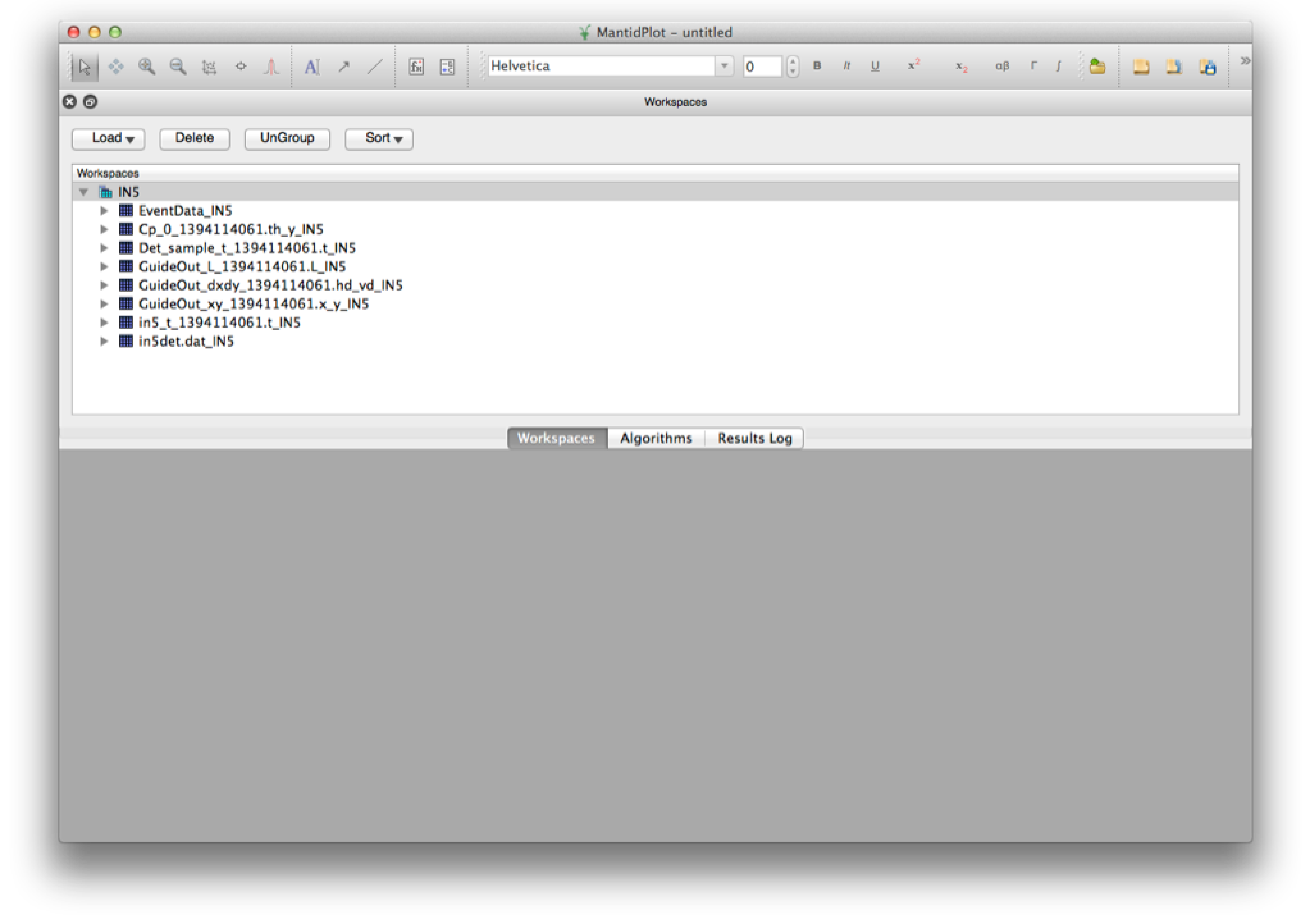
After a succesful load, you should have a workspace group with this content
-
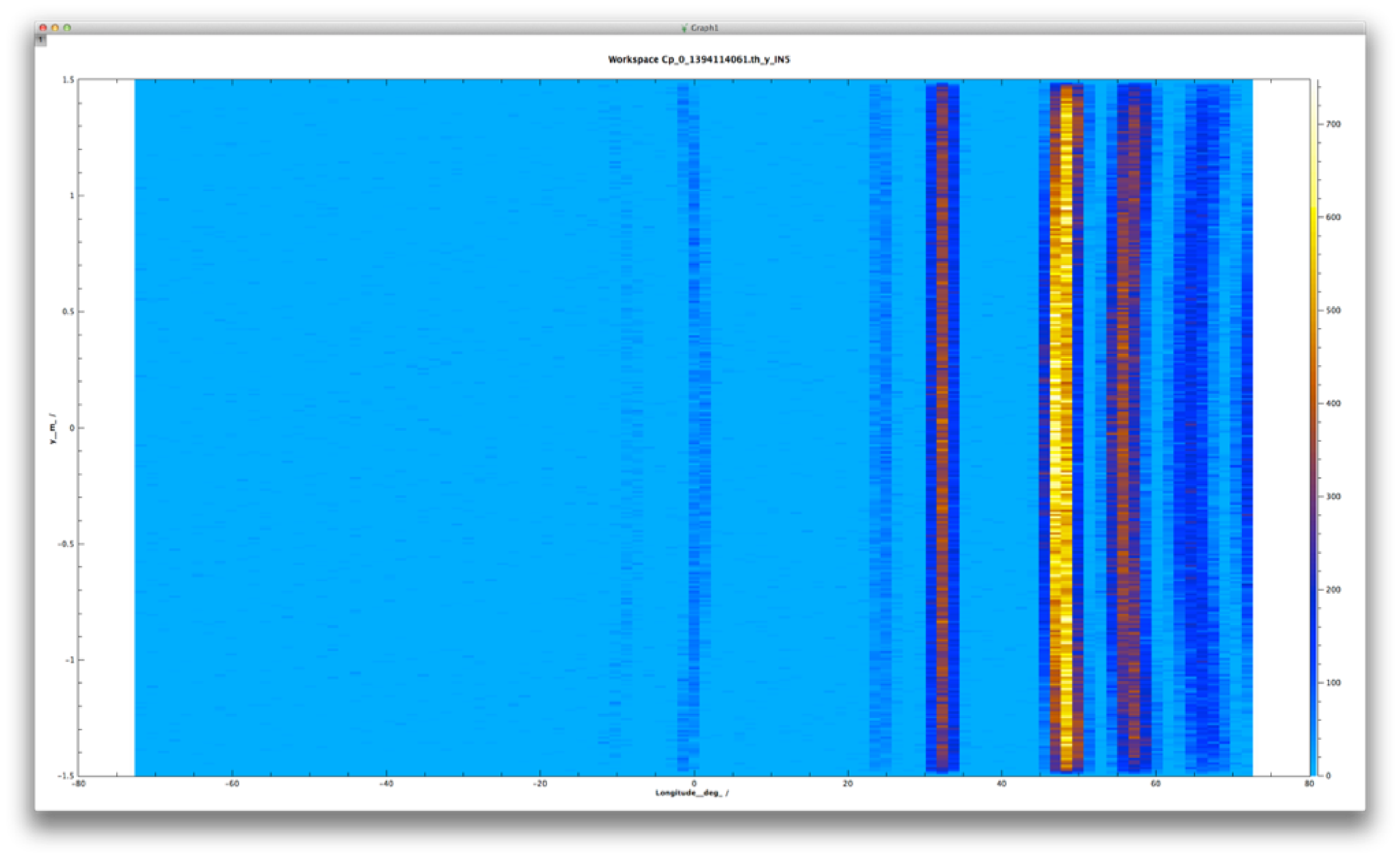
Plot the histogram event data stored in the monitor Cp_0...
-
Plot the TOF events on the full instrument geometry. In this step a bit of zooming and translation may be needed to show a nice view of the instrument.
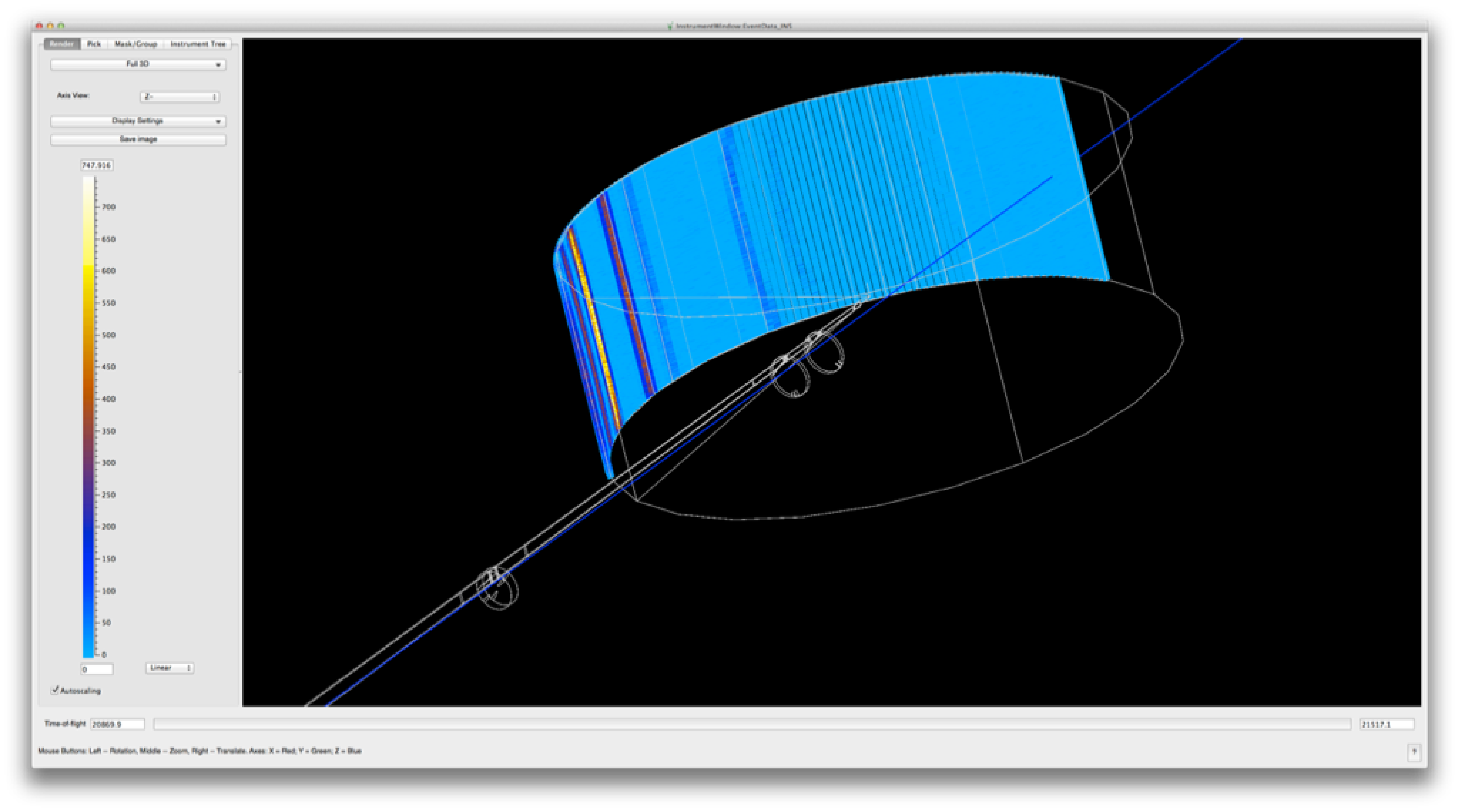
The instrument ILL_H16_IN5_Mantid.instr included in McStas 2.1 will load and present simulated event-data, but the current time-definition of the event data does not comply fully with Mantid for data-reduction purposes - this should be corrected for the next McStas release.